ArmyFit: AFT Score Calculator, Training and Test Grading
Calculate your score, track your progress, time events, and simplify group grading with ArmyFit. Spend less time managing PT and more time preparing.
Updated October 27, 2026.
You have a fitness goal to reach and a mission to accomplish. Hunting for score charts, juggling timers, and rebuilding your training history should not take time away from either.
ArmyFit is Troopsy's Army fitness app for calculating AFT, ACFT, and APFT scores, timing events, tracking progress, and grading tests. It brings those tools together so Soldiers can spend less time managing PT and more time preparing for their next goal. ArmyFit is available for iPhone and Android.
Here is how ArmyFit helps with the questions that come up before, during, and after a fitness test.
How do I calculate my AFT score?
Use ArmyFit's AFT calculator to turn your event results into scores for the test and scoring category you select. The app also supports ACFT and APFT calculations, permanent profiles, and alternate cardio events.
Instead of switching between a screenshot of a score chart and a separate calculator, enter your results in one place. Use the score chart when you want to look up an event target, then save your result as a Practice or Record test to keep the two organized.
For example, calculate a practice test, identify the event where you have the most room to improve, and set a specific target for your next session. Always select the correct test: an older ACFT result and an AFT result use different standards.
How can I track whether my Army PT training is working?
ArmyFit saves test results and displays progress in a dashboard with interactive charts. Comparing results over time helps you see where your training is paying off and which events need attention.
A total score tells only part of the story. Your run may be improving while another event stays flat. Reviewing your event results gives you a more useful starting point for your next training goal than trying to remember what happened at your last test. Account syncing keeps saved records available across devices.
How do I time the sprint-drag-carry, plank, or two-mile run?
ArmyFit includes a stopwatch and event timers for fitness-test practice. Use the stopwatch for events such as the sprint-drag-carry and two-mile run, or an event timer for the plank and hand-release push-up. Save timed results to your records so your next session has a clear point of comparison.
That connects the work you just completed with the progress you want to make. You do not have to leave a useful practice time buried in a separate stopwatch app or a handwritten note.
What plates do I need for the maximum deadlift?
ArmyFit's MDL weight calculator shows a plate configuration for your selected weight, including plate images, counts, and an alternative loading option.
When you are setting up a bar, that gives you a quick reference for the plates you need. Check the bar's actual weight and the plates available, then use the calculator to work through the setup before you lift.
How can I grade a group AFT and create DA 705 reports?
ArmyFit's Test Grader lets leaders manage tester profiles and work through a group grading session. Supported graded results can be exported to DA 705 PDFs, including individual and bulk exports.
For an NCO managing multiple Soldiers, a connected workflow can reduce repeated entry between scoring and reporting. Prepare the roster, enter the event results, review them, and export the supported reports. Confirm the required form and your unit's records process before submitting them.
Where can I find fitness-test event instructions and lane setup guidance?
ArmyFit includes written event instructions, demonstration videos, lane setup guidance, and a readable score chart. These references help you prepare before practice and revisit an event when you need a reminder.
Use the app to get organized, and check the Army's official fitness-test resources for the standards that govern your test. Having the right reference close at hand helps turn uncertainty into a clear next step.
How do I build a training routine when time or equipment is limited?
ArmyFit offers in-app fitness plans, including bodyweight programs, so you can start with a structured routine rather than inventing every workout. Choose a plan that fits your starting point, schedule, and available equipment, then use your saved results to assess progress.
PT Guru, ArmyFit's AI fitness assistant, can also help you work through training questions. For example, ask how to organize a session around an event you want to improve. Treat its answers as suggestions to review; AI can make mistakes and does not replace official standards or individual professional advice.
Get started with a goal, a baseline, and a next step
You do not need to use every feature on day one. Start with the problem that costs you the most time.
- Choose your goal. Pick an event, score target, or grading task you want to improve.
- Establish a baseline. Calculate and save a practice result, or set up the tester profiles you need.
- Use the right tool. Open a timer, review event instructions, follow a plan, or begin a grading session.
- Review and adjust. Compare results and decide what deserves your attention next.
The goal is more confidence in your preparation and less time spent managing scattered tools. Troopsy builds technology to empower Soldiers to become the best versions of themselves, with more time to focus on their mission.
Explore ArmyFit and download the app.
ArmyFit questions and answers
Is ArmyFit free to download?
Yes. ArmyFit is free to download, with in-app purchases. Some features and plans require a purchase or ArmyFit Pro. Check the options shown in your app before subscribing or buying a plan; availability can vary by platform and version.
Does ArmyFit support both AFT and ACFT scores?
Yes. ArmyFit's store listings include AFT, ACFT, and APFT calculators. Choose the test that matches the result you are calculating and the guidance that applies to you.
Can I use ArmyFit for individual training and group grading?
Yes. Individual tools include calculators, saved results, charts, timers, and training plans. The Test Grader supports group grading and exports for supported tests.
Where do I get help or suggest a feature?
Visit the Troopsy Help Center for app help. To suggest an improvement or vote on ideas from fellow Soldiers, visit the Troopsy feedback board and sign in with your Troopsy account.
Product information and references
Feature descriptions were checked against the ArmyFit App Store listing and ArmyFit Google Play listing on October 27, 2026. See the ArmyFit product page for downloads and the Army's AFT website for official test resources.
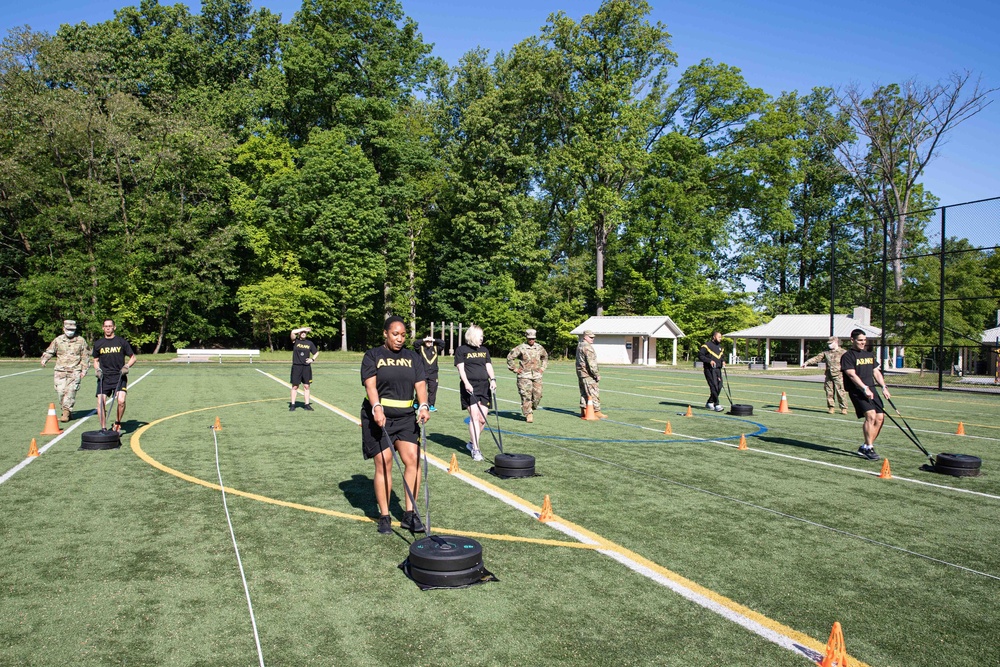
Photo: Soldiers conducting the Sprint-Drag-Carry during the ACFT on May 15, 2021. Thomas Cieslak / U.S. Army Reserve Legal Command, via DVIDS. Public domain.
The appearance of U.S. Department of War (DoW) visual information does not imply or constitute DoW endorsement.